Why your business isn't showing on Google Maps
Step-by-step diagnosis for storefront owners whose listing does not appear on Google Maps, covering verification, suspension, duplicates, and category.
The two-minute diagnostic below separates a listing that is not yet live from one that is live but absent from the searches that bring walk-ins through your door.
Why isn't my Google business showing up? Check whether the profile is live
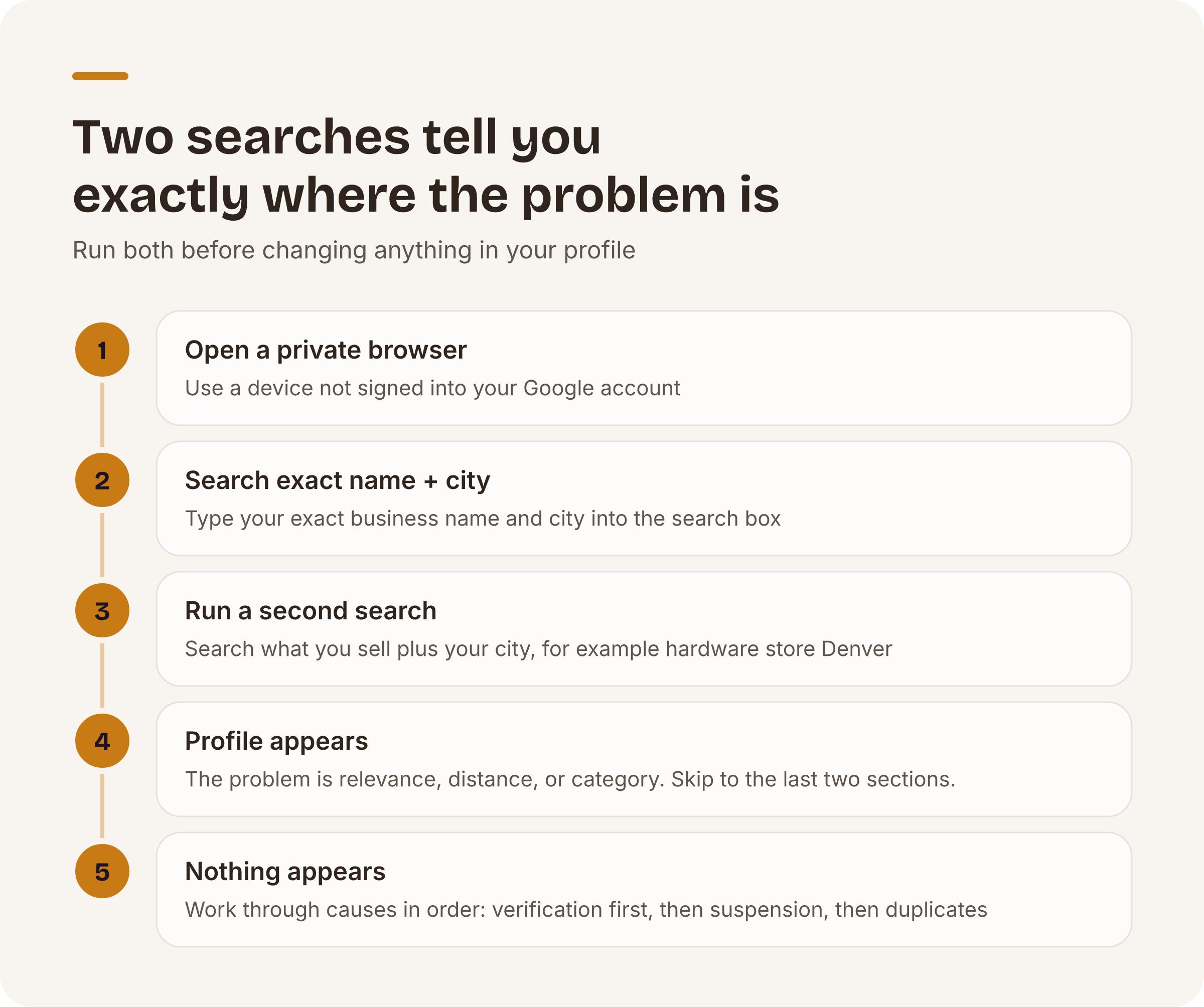
In a private browser window search the exact business name and city, then search what you sell plus the city. If the profile appears in the map pack or in the knowledge panel on the right, it is live; the problem is relevance, distance, or category, and you can skip to the last two sections. If nothing appears, work through the causes in order: verification first, then suspension, then duplicates.
What incomplete verification looks like
Google says verifying your business tells it that you are authorized to represent the business, so the profile is more likely to show up in search results (Tips to improve your local ranking on Google, accessed November 2026). Start there if verification was never finished.
Google determines the available verification methods automatically based on your business type, region, and public information; you cannot request a different method (Verify your business on Google, accessed November 2026). The methods currently listed include phone or text, email, video recording, live video call, and mail, though postcard verification is not available for all businesses.
One detail that catches owners off guard: if you add or edit an existing category, Google may ask you to verify the business again. If you recently edited the category and the profile went quiet, that re-verification prompt is worth checking first.
Google Business Profile disappeared? Check for a suspension
Google may suspend profiles that do not follow its guidelines, and the fix is an appeal, not a new listing. Creating a second profile for the same business is explicitly against those guidelines and will not resolve the underlying issue (Fix suspended or disabled profiles, accessed November 2026).
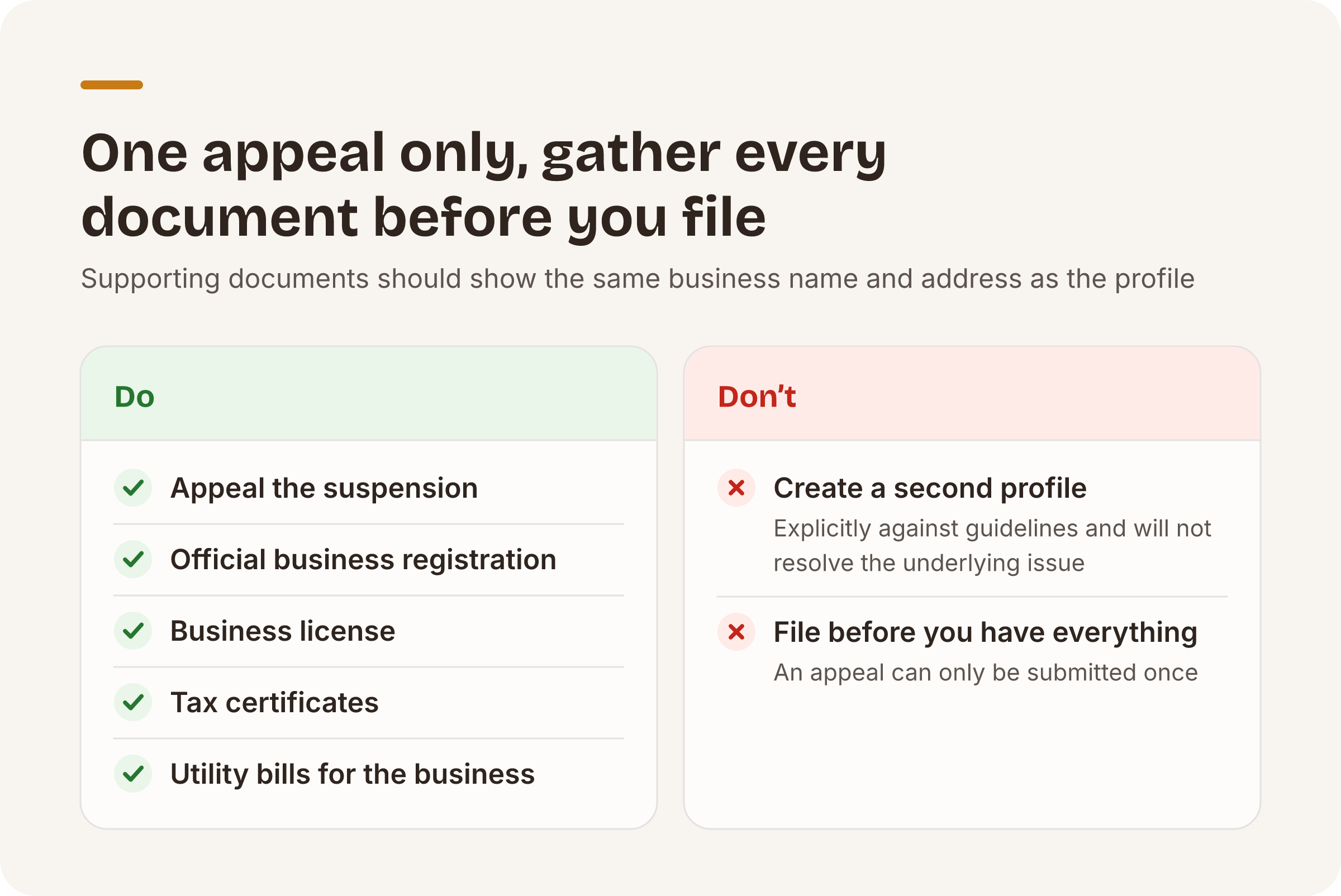
Your appeal is stronger when the supporting documents show the same business name and address as the profile (Fix suspended or disabled profiles, accessed November 2026). An appeal can only be submitted once, so gather all documents before you file.
How a duplicate pin suppresses your listing
A profile that Google considers a duplicate will not appear in search or on Maps (Resolve duplicate profiles & ownership issues, accessed November 2026). Google treats a profile as a duplicate when a verified profile already exists for the same business, when multiple profiles share the same address, or when multiple profiles exist for the same business even if they list different services.
The right fix depends on who controls the duplicate listing. If a verified profile for your business exists under another Google account, say a former employee's account, you can request access from the current owner rather than starting over (Resolve duplicate profiles & ownership issues, accessed November 2026). If your store relocated and you created a new profile for the new address instead of updating the existing one, do not keep the new profile; update the original with the new address instead.
In Place Optimizer's audit, each location starts at a score of 100 and loses points per finding: a critical issue costs fifteen points, a warning costs seven, and an informational note costs two. Duplicate-pin candidates are defined as same-brand pins within approximately one kilometer of each other, surfaced for a human to confirm before any action is taken. We never merge automatically, because a genuine second location in the same shopping center would be destroyed by that.
Why a verified profile still misses category searches
This is where the phrase "my Google Business Profile is verified but not showing" applies: a profile can be verified and still not show for a category search. Local results are mainly based on relevance, distance, and popularity (Tips to improve your local ranking on Google, accessed November 2026).
Relevance is the factor you can address directly through the profile. The primary category you select tells Google which searches to match the profile against. The categories you select affect your local ranking on Google (Manage your business category, accessed November 2026). Select a specific category: instead of Salon, choose Nail salon. The guidance is to pick the most specific category that accurately describes the business, and to avoid selecting a category for every product or service you offer.
Distance from the searcher is not adjustable through any profile setting: how far a potential customer is from the business influences how results are ordered. Prominence reflects how well-known the business is across the web. There's no way to request or pay for a better local ranking on Google. Businesses with complete and accurate info are more likely to show up in local search results.
Google My Business not showing up? Run the same checks
The free audit requires no card and is capped at 3 audits per email per day.
Put this playbook on autopilot.
The free audit runs every check in this post across all your locations — no card required.