Local SEO for home services: contractors, remodelers and cleaners
A practical guide to listings, service pages, reviews, and measurement for home services companies.
Learn how to improve Google Business Profile listings, service pages, review practices, and inquiry measurement for your home services business.
What should home services SEO cover?
Local search work has three parts. Your website explains each service and service area. Your operating process keeps customer-facing details accurate. This includes the business name and phone number. It also covers operating hours and categories, along with other public information.
The balance varies by trade. A remodeling company may need detailed project and showroom information. A cleaning company may need clear service boundaries and booking conditions. A contractor may need separate pages for distinct services rather than one page covering every job.
Google identifies relevance and distance as local ranking factors, along with prominence. It also says complete and accurate information helps it match a business to relevant searches (accessed November 2026) (Multi-location local SEO platforms for healthcare clinics).
No tool controls your position in Google's local results. Your work improves the information available to Google and to the person deciding whether to contact you.
Which address belongs on the listing?
The listing should represent a real operating location. List a permanent, staffed location that can be verified, not a temporary project site. A construction site, a property being remodeled, or a house being cleaned is not a new business location.
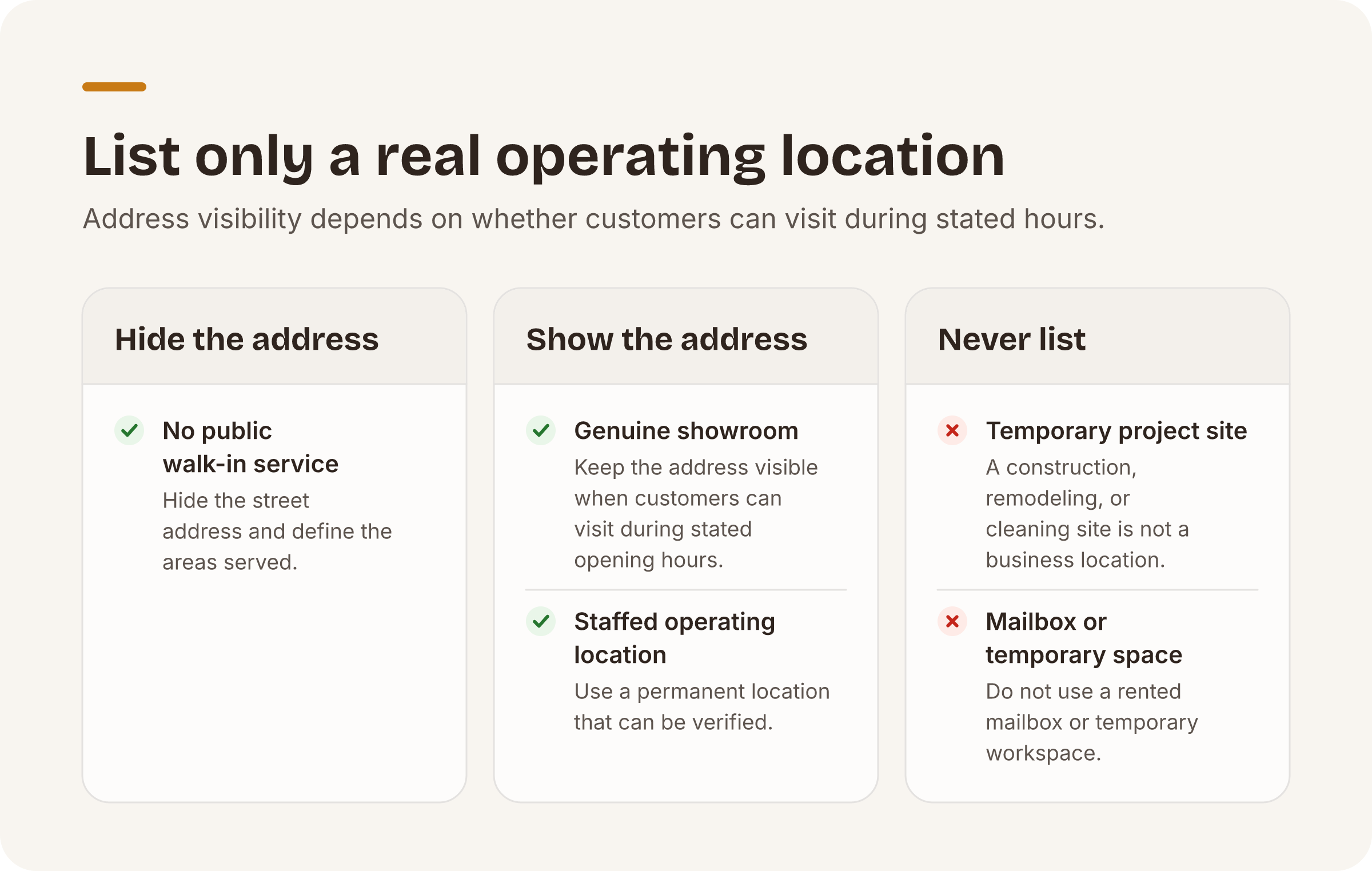
A business without public walk-in service is a service-area business. It should hide its street address and define the areas it serves (accessed November 2026). This commonly applies to contractors and cleaners who dispatch teams from an office or home base that customers do not visit.
A genuine showroom is different because customers can visit it. Keep its address visible only when customers can visit during the stated opening hours (accessed November 2026). Apply the same test after a move or a change in opening hours. Do not use a rented mailbox or temporary workspace. A current job site is not a business location either.
Service areas should match what you can operate. A cleaner based in Denver might serve nearby communities without maintaining a listing in each one. A remodeler with legitimate staffed offices in Denver and Colorado Springs can organize the two locations separately.
Structuring services and locations
Start with the business as it exists, not with a list of cities you would like to rank for. Define the services you perform directly. Then document your operating locations and the areas each one covers.
Give each substantial service its own useful page. A kitchen remodeling page should explain the scope and project stages. It should also cover property requirements and tell a homeowner how to start. A house-cleaning page should distinguish recurring cleaning from move-out work if those are genuinely separate offers.
Location pages also need substance. Identify the team or office serving that area. State the available services and contact details. Set practical coverage limits. Replacing only the city name creates pages that give readers little new information. Google says sites focused on useful content and a good experience for people are more likely to do well in Search (accessed November 2026) (Google Search Essentials (formerly Webmaster Guidelines), accessed November 2026).
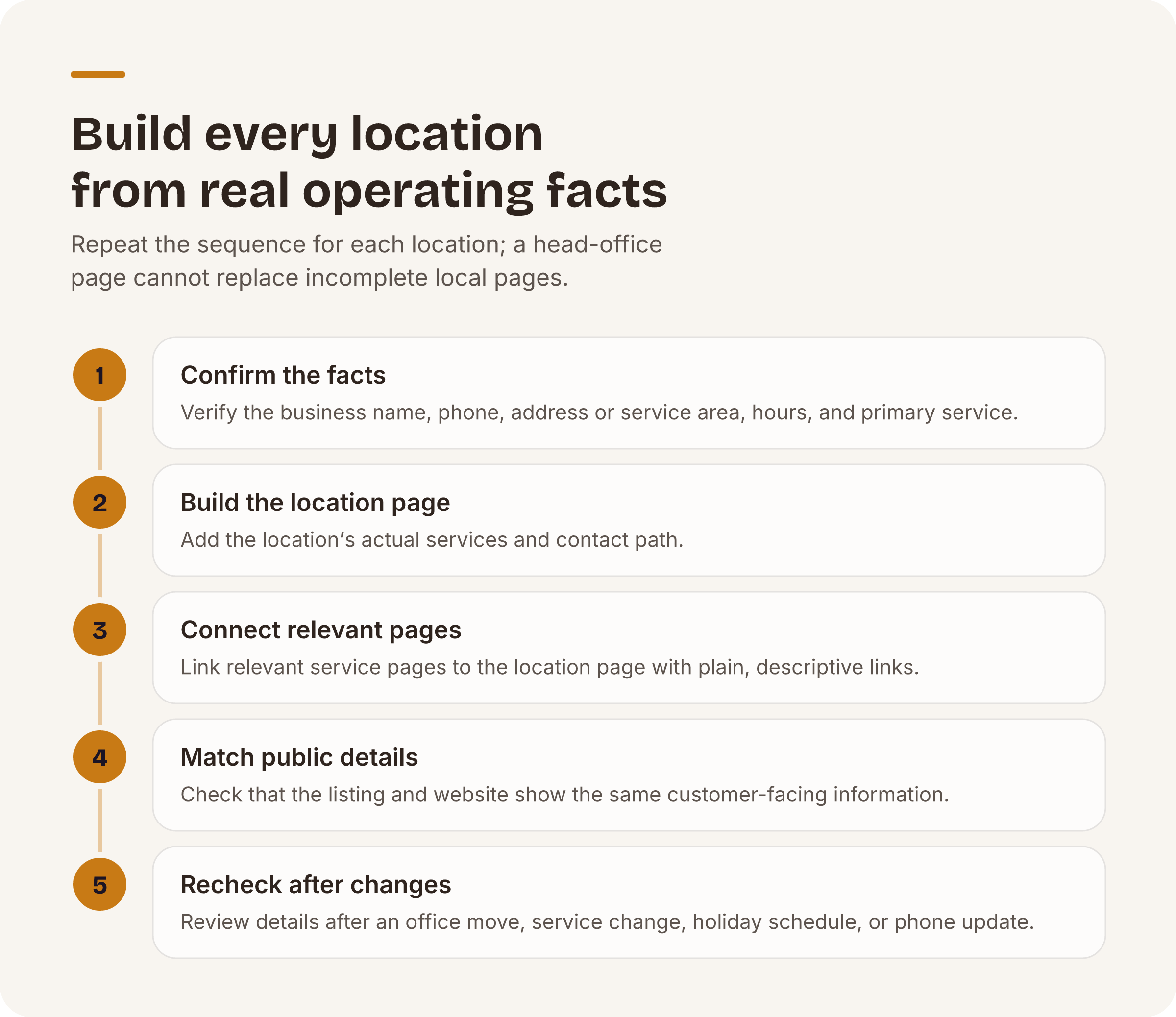
Use the following sequence for each location. Assign an owner and completion date so you can trace each update:
- Confirm the real business name and phone number. Verify the address or service-area configuration. Check the operating hours and identify the primary service.
- Build or update the location page with its actual services and contact path.
- Connect relevant service pages to that location page through plain, descriptive links.
- Check that the listing and website show matching customer-facing details.
- Recheck the information after an office move or service change. Do the same after a holiday schedule or phone update.
For a multi-location portfolio, repeat this work per location. A correct head-office page does not compensate for incomplete local pages.
Choosing categories and services
Choose a primary category that describes the main business represented by that listing. Secondary categories should reflect work the company genuinely performs.
Do not add every adjacent trade. A remodeling company that hires a licensed electrician for part of a project does not automatically operate as a separate electrical contractor.
The website should follow the same distinction. Explain included subcontracted work where it helps a homeowner understand the project. Do not present the company as independently offering a trade that it does not sell or deliver that way.
What should each service page tell the reader?
A useful service page answers operational questions. Tell the reader what the service includes and excludes. Explain which properties qualify and where the service is available. Describe what happens after an inquiry.
Use photographs only when they accurately represent the business or its work. Add captions that explain what is shown and why it matters to the service.
A photograph without context may look polished but answer no practical question.
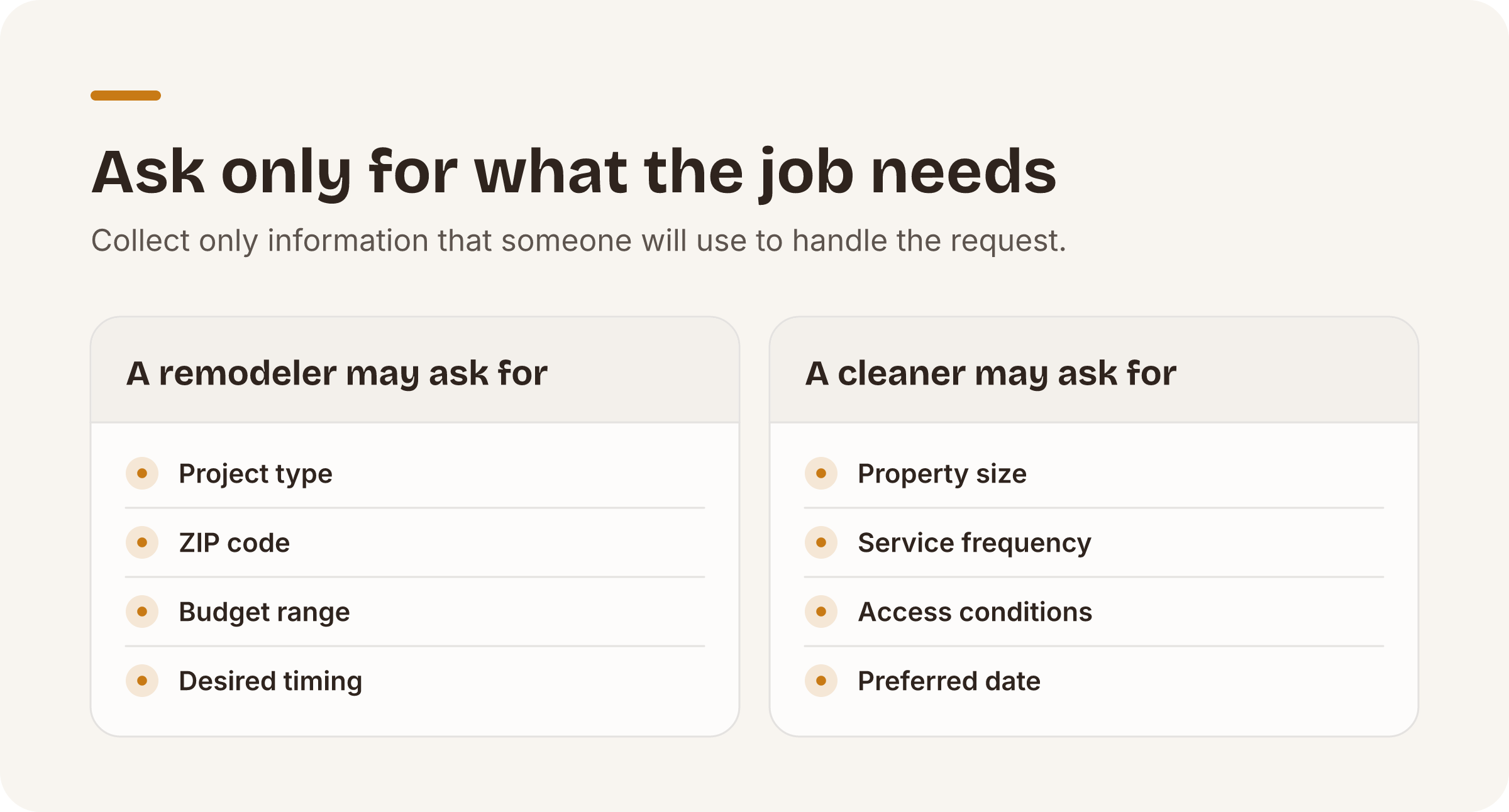
Calls to action should fit the service. A remodeler may ask for the project type and ZIP code, followed by the budget range and desired timing. A cleaner may need the property size and service frequency. Access conditions and the preferred date may also matter. Collect only information that someone will use to handle the request.
A sound review-request process
Request reviews through a repeatable process after a real service interaction. Keep the request neutral. Do not tell customers that only positive feedback is welcome.
The Federal Trade Commission’s rule covers fake, false, and otherwise deceptive reviews and testimonials (accessed November 2026) (The Consumer Reviews and Testimonials Rule: Questions and Answers, accessed November 2026). Incentives cannot carry an express or implied requirement that the review express a particular sentiment (accessed November 2026).
Manual: Use an approval log that records who approved each response and when. Have a team member read each reply before posting it. Confirm that the response does not reveal private information about the property or customer. It should not disclose payment or dispute details either. A short factual reply is safer than arguing about a job in public.
Measuring performance
Separate visibility from business outcomes. Track calls and qualified forms by location and service where your systems allow it. Connect those inquiries to booked estimates and completed jobs.
A traffic increase without relevant inquiries is not a complete measure.
Do not treat one observed search position as a permanent score. Google names relevance and distance as local ranking factors, along with prominence. Review map pack visibility alongside listing accuracy and actual inquiries.
Audits need a similarly narrow interpretation. They can identify missing or inconsistent listing data. They cannot predict or guarantee your position in the map pack.
What should you audit across multiple locations?
Check the business name and location or service-area setup per location. Review the phone number and operating hours. Then examine categories and review activity. Check the photos and website destination as well. Compare these details with the operating facts rather than forcing every listing to be identical.
Manual: Confirm address eligibility. Review unusual category choices and possible duplicate listings before making changes. Two nearby pins may indicate duplication. They may also represent legitimate offices or showrooms. That is normal and not a reason to merge them without review.
Automated: We surface duplicate-pin candidates when same-brand pins are within about 1 km of each other.
Manual: You confirm and merge duplicate-pin candidates. We never merge them automatically.
Automated: Our free Brand Health audit checks each listing against a published checklist in seven categories: basic info; hours; ratings and reviews; photos; categories; cross-location consistency; and listing health, including duplicate-pin candidates. It requires no card and is capped at three audits per email per day. You can run the free audit to identify records that need manual review. Each location’s Brand Health Score starts at 100 points. For a multi-location portfolio, we subtract 10 points when distinct business names exceed one-fifth of the location count. We subtract 5 points when distinct primary categories exceed the same threshold. We subtract another 10 points when more than one-tenth of the locations have ratings below 3.5 stars.
Put this playbook on autopilot.
The free audit runs every check in this post across all your locations — no card required.