How to remove Google reviews: what Google will and won't take down
Learn which Google reviews qualify for removal, how to report and appeal them, and what to do when a review remains.
You cannot directly delete someone else’s review. Instead, you can request that Google remove the review by reporting it (Add, edit, or delete Google Maps reviews & ratings, accessed November 2026).
Google review removal is limited to content that violates Google’s policies. Disagreement, criticism, or a low rating is not enough.
Can you remove a Google review?
You can report any review, but only reviews that breach Google’s content policies qualify for removal. Google does not resolve ordinary disagreements between a business and a customer. Do not report a review simply because you dislike it (Report inappropriate reviews on your Business Profile, accessed November 2026).
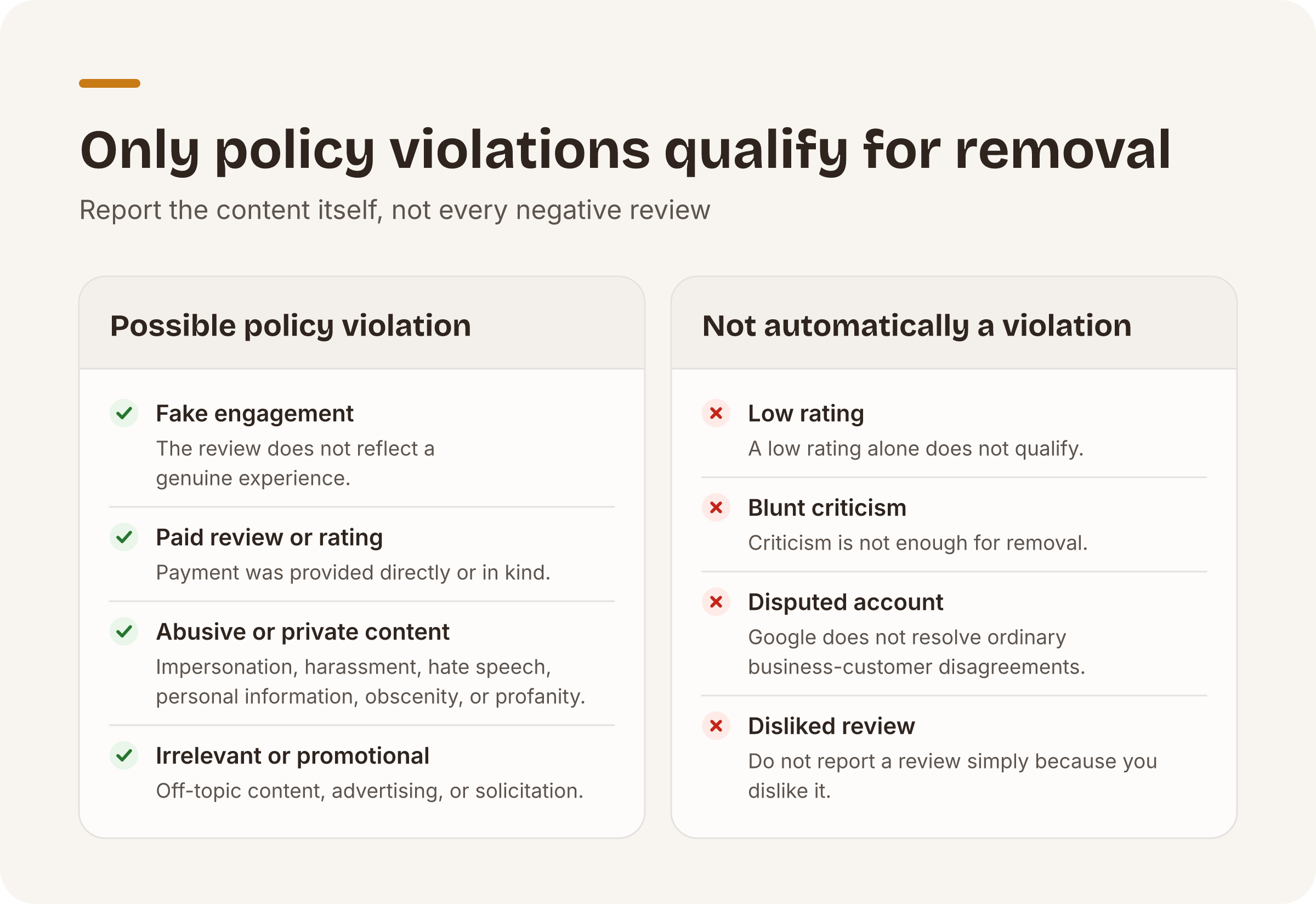
Can Google reviews be removed when they describe no genuine experience? Yes. Google classifies contributions that do not reflect a genuine experience as fake engagement and removes them under its policy (Prohibited & restricted content, accessed November 2026). Reviews or ratings that were paid for, directly or in kind, also fall within that policy.
Other possible grounds include impersonation, harassment, hate speech, personal information, obscenity and profanity, off-topic content, and advertising or solicitation. Match your report to the content itself.
A low rating, blunt criticism, or a disputed account is not automatically a violation.
You cannot contact a reviewer through Google or directly delete Google reviews written by another person. You can only ask Google to assess the review by reporting it (Add, edit, or delete Google Maps reviews & ratings, accessed November 2026).
If you are deciding how to remove bad Google reviews, first preserve screenshots and identify the exact policy issue. Do not report every negative review under a vague or unrelated reason.
How to remove Google reviews that violate policy?
Reporting is manual. Google provides these steps for reporting a review from your Google Business Profile (Report inappropriate reviews on your Business Profile, accessed November 2026):
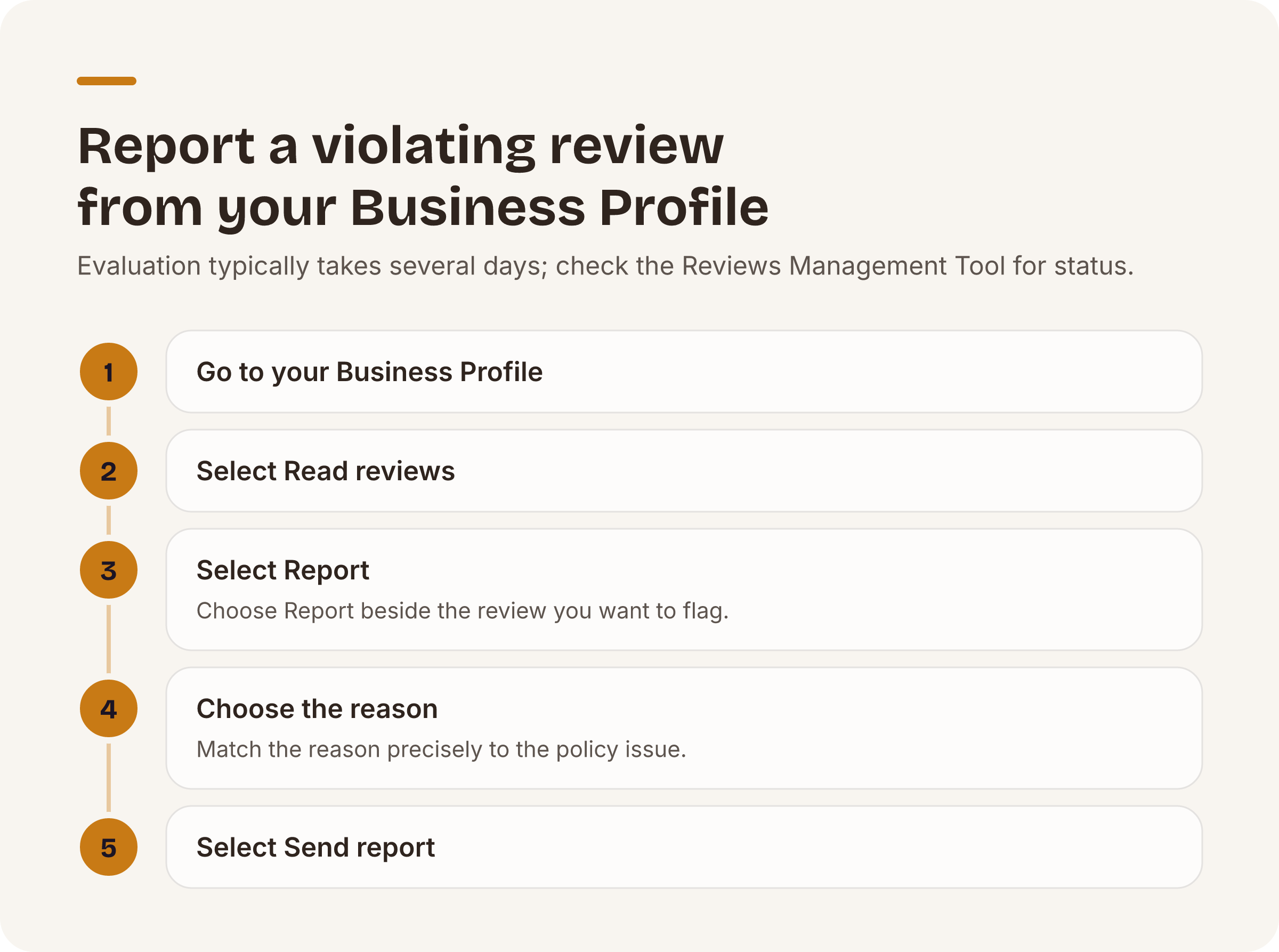
- Go to your Business Profile.
- Select Read reviews.
- Next to the review you’d like to flag, select Report.
- Select the reason to flag the review.
- Select Send report.
Evaluation typically takes several days. You can check the report in Google’s Reviews Management Tool (Report inappropriate reviews on your Business Profile, accessed November 2026).
A Decision pending status means the review has been flagged but has not yet been evaluated. Report reviewed, no policy violation means Google evaluated the review and did not find a violation.
If you disagree with that decision, you can submit a one-time appeal. The appeal workflow lets you select up to 10 reviews. Identify the policy ground precisely rather than using the appeal as a second expression of disagreement.
If Google decides that the review violates its policies, it will remove the review. If the review complies, it will remain live. PlaceOptimizer cannot change that decision or guarantee a different result.
Google also uses automated spam detection to identify some spam reviews. That automation can mistakenly remove a legitimate review. If this happens, contact Google support for assistance.
Treat negative-review extortion as a separate incident. Use the extortion reporting guidance linked from Google’s review-reporting page rather than negotiating with the reviewer.
A successful policy report removes the review from Maps and Search. Reviews appear beside the relevant Google Business Profile in both services, so a public response can still matter while your report is pending (Tips to get more reviews, accessed November 2026). Reviews removed for policy violations will not be restored (About missing or delayed reviews, accessed November 2026).
How do I delete a Google review I wrote?
The author controls their own review. Editing or deleting it is manual.
On a computer, open Google Maps. At the top left, click Menu. Click Your contributions, then Reviews. Next to the review you want to edit or delete, click More. Select Edit review or Delete review, then follow the on-screen steps.
A business should not direct the author through those controls in exchange for money, a discount, free goods, or free services. Google prohibits incentives for posting a review, changing a review, or removing a negative review (Tips to get more reviews) (Prohibited & restricted content, accessed November 2026).
What should you do when the review stays?
Treat a finding of no policy violation as a content decision, not an endorsement of the reviewer’s account.
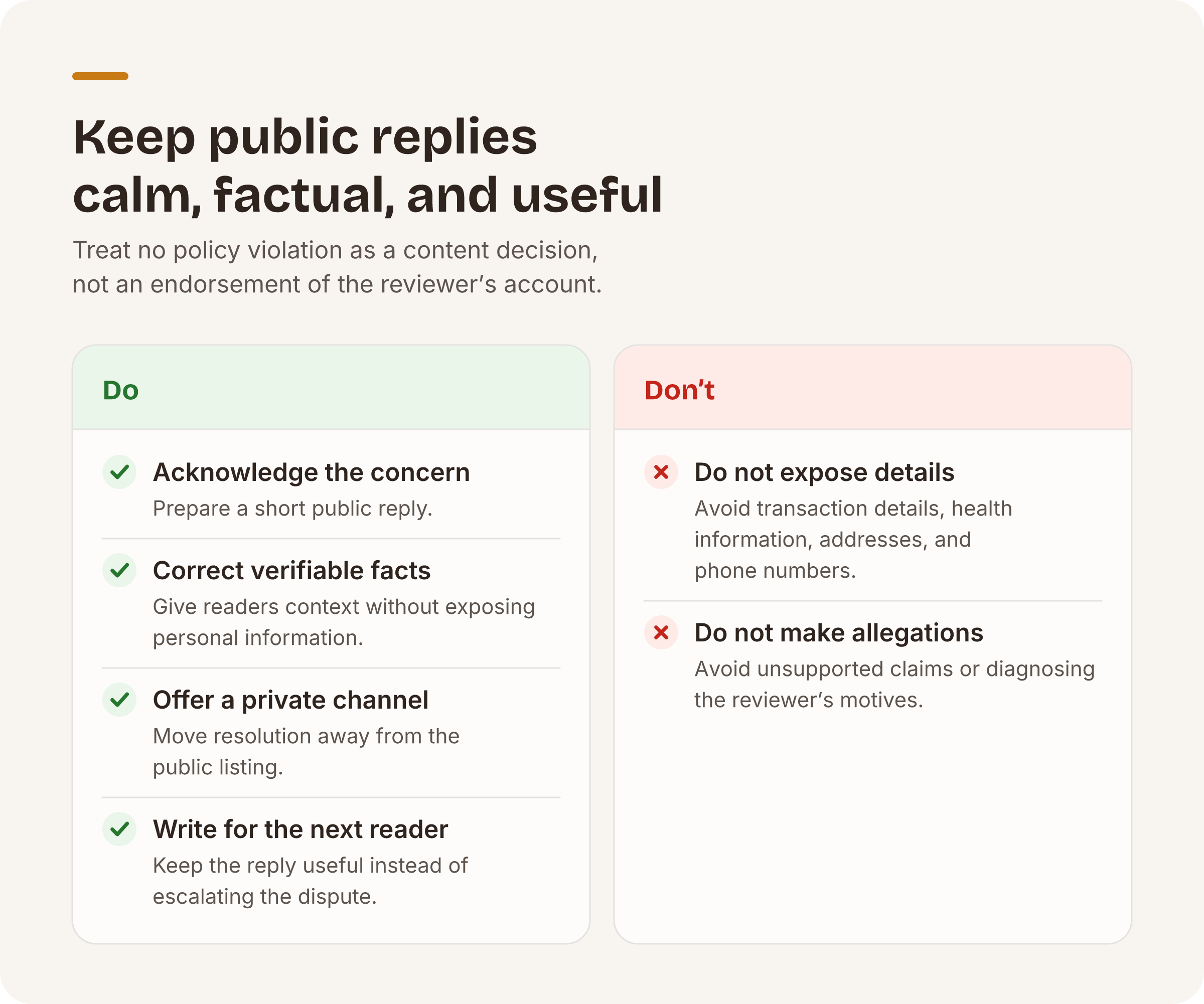
Prepare a short public reply. Acknowledge the concern, correct verifiable facts without exposing personal information, and offer a private channel for resolution.
Replying is manual. Your Google Business Profile must be verified before you can respond. The reviewer is notified after you reply and can still change the review (Manage customer reviews, accessed November 2026). That possibility is not a reason to request a particular rating.
Keep the reply useful to the next reader. Avoid diagnosing the reviewer’s motives or escalating the dispute.
Do not publish transaction details, health information, addresses, phone numbers, or unsupported allegations about customers or employees. A calm, factual reply gives readers context without turning the listing into a public argument.
For a multi-location portfolio, assign ownership before responding. A location manager may know what happened, while a central team may need to review tone, privacy, and consistency. Record the review URL, report reason, report date, current status, appeal decision, and response owner in your review log.
Our automated review monitoring is live. It helps you find new reviews and organize follow-up. The policy judgment, report, appeal, and public reply remain manual.
PlaceOptimizer cannot remove a review, and we do not sell review removal. We never promise removal because Google removes only reviews that violate its policies. Review replies through PlaceOptimizer are on the roadmap and are not currently shipped.
What should you avoid?
Do not offer compensation for a positive review, a revised rating, or the removal of criticism. Do not discourage or prohibit negative reviews. Do not selectively ask only satisfied customers to leave reviews while directing dissatisfied customers elsewhere.
Do not promise your team that a report will succeed. Policy compliance determines the outcome. A vendor cannot guarantee removal simply because a review is damaging, disputed, or attached to a one-star rating.
Do not repeatedly report the same compliant review through different accounts. Submit the initial report, check its status, and use the one-time appeal only when you can identify a genuine policy issue. After that, focus on your public response and internal record.
As one next step, use our automated free Brand Health audit to check each listing across seven categories, including ratings and reviews. It requires no card and is capped at 3 audits per email per day.
Put this playbook on autopilot.
The free audit runs every check in this post across all your locations — no card required.