Duplicate Google Business Profiles: how to find, merge and delete them
How multi-location brands find, evaluate, and remove duplicate Google Business Profiles using Google's own tools, with no automatic merges.
A duplicate Google Business Profile for one of your locations will not appear on Google Search or Maps, and Google treats multiple profiles for the same business as a policy violation (Resolve duplicate profiles & ownership issues, accessed November 2026). For a multi-location brand, the challenge is not knowing that duplicates are harmful; it is finding them systematically before they accumulate.
What counts as a duplicate Google Business Profile?
Google states that there should be only one profile per business, because multiple profiles can cause problems with how information displays on Google Maps and Search (Guidelines for representing your business on Google, accessed November 2026). A profile may be treated as a duplicate in three situations: a verified profile already exists for the same business, multiple profiles share the same address, or multiple profiles exist for the same business but advertise different services (Resolve duplicate profiles & ownership issues, accessed November 2026).
How to find duplicate candidates across many locations
A duplicate listing checker finds candidates across a multi-location portfolio. PlaceOptimizer identifies same-brand pins within approximately one kilometer of each other and surfaces them as duplicate-pin candidates for a person to review. This step is automated. Reviewing those candidates, deciding which represent real second locations, and acting on the confirmed duplicates is manual work done in Google's own tools.
We never merge or delete automatically, because two nearby pins can represent two real, separate locations, and an automated merge would destroy one of them. Multi-location listing management software for franchise chains covers the broader picture of portfolio-level data consistency; this post stays on the duplicate question specifically.
When a nearby pin is not actually a duplicate
Before requesting a merge or deletion, confirm that the second pin is genuinely redundant. Google is explicit: if multiple distinct businesses share an address, each can have its own Business Profile, provided they have different names and clearly visible differences in signage, and each is eligible for a Google Business Profile. This includes locations with multiple brands, rebranded businesses, departments within other businesses, or individual practitioners at a shared location.
If two distinct and eligible businesses were incorrectly merged in the past, Google says you can contact support to appeal the duplicate status. That is the right path; do not create a fresh profile to replace a merged one.
A separate situation arises when the second profile is real but owned by a different account. If a verified profile exists for your business and belongs to someone else, you can request access from the current owner; that owner has three days to respond. One note specific to location moves: if a previous address change is the reason a second profile exists, the correct fix is an address edit on the existing profile, not a merge request. Google says not to create a new Business Profile when a business relocates, but to update the existing one instead.
How to merge two Google Business Profiles for one location
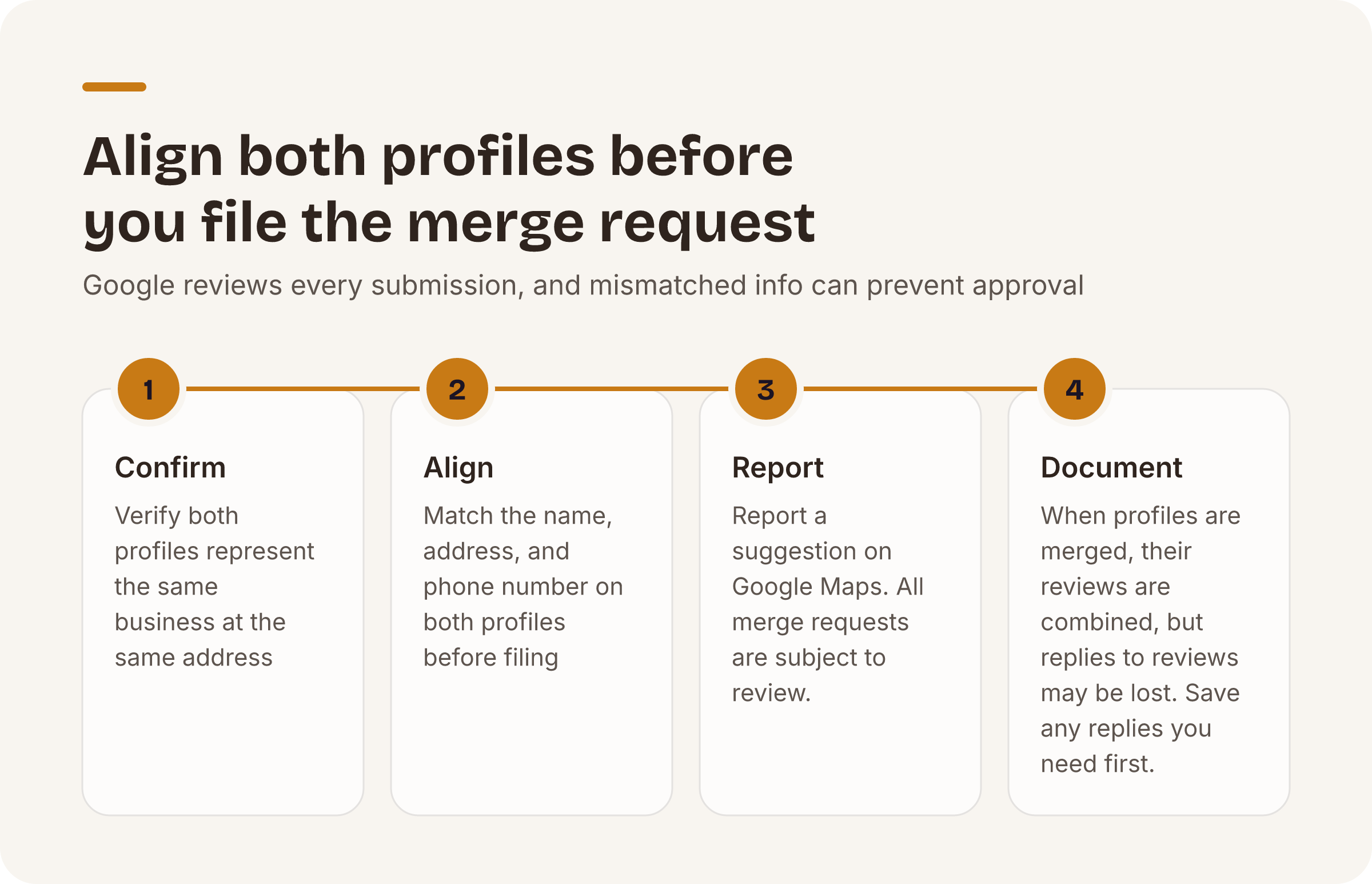
When you have confirmed that two profiles represent the same business at the same address, the path Google describes is to report a suggestion on Google Maps. All merge requests are subject to review; Google does not approve every submission automatically. For the merge to succeed, the profiles must represent the same business and carry the same information, so align the name, address, and phone number on both profiles before you file the request.
How to delete a duplicate Google Business Profile
If you created a duplicate profile by mistake, you can remove it without affecting your verified listing. When you remove a profile, all content and linked managers are removed, so confirm you are removing the correct profile before you proceed.
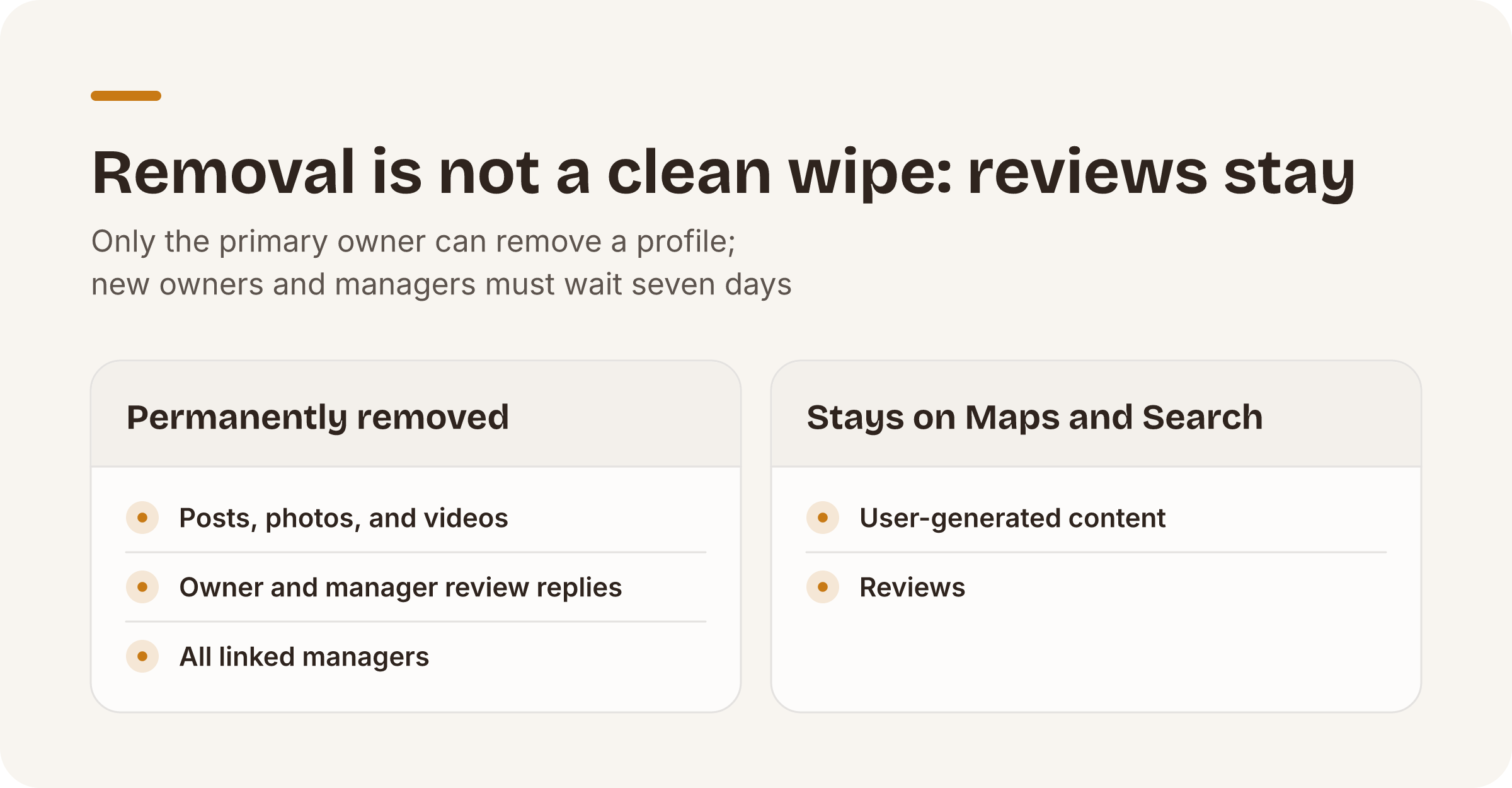
Two permission constraints apply. Only the primary owner can remove a profile's content and managers; new owners and managers must wait seven days after taking the role before they can remove profile content or managers (Remove a Business Profile from your Google Account, accessed November 2026). And removal does not guarantee the location disappears from Maps and Search entirely: posts, photos, videos, and review replies by owners and managers are permanently removed, but user-generated content and reviews remain (Remove a Business Profile from your Google Account, accessed November 2026).
For a portfolio with several duplicates to clear at once, you can select multiple profiles in Business Profile Manager, then choose Actions and Remove businesses to handle them together.
Why does duplicate detection still require human review?
Duplicate candidates are same-brand pins within about 1 km of each other, surfaced for a person to confirm. PlaceOptimizer never merges automatically.
That boundary is deliberate. A brand with a dense urban footprint, say a pharmacy group in Chicago or a quick-service chain in Los Angeles, may have multiple legitimate locations within a few blocks of each other. No algorithm can confirm from the outside that two nearby pins are truly one place. That judgment requires someone who knows the portfolio.
How bulk CSV editing works for Google map listings explains how to handle the data corrections that follow an audit, once duplicates are resolved and the remaining listings need updating at scale.
To see how many duplicate-pin candidates your portfolio has, start with the free audit. The free audit requires no card and is capped at 3 audits per email per day.
Put this playbook on autopilot.
The free audit runs every check in this post across all your locations — no card required.